iPhone & iPad
Grok for iOS: How to Download Grok on iPhone and iPad
There is no APK on iPhone, but Grok runs natively on iOS. Here is how to install the official app on your iPhone or iPad, what works the same as Android, and the few differences worth knowing.
Get Grok on the App StoreDoes Grok work on iPhone?
Yes. xAI publishes an official Grok app for iOS on the Apple App Store. It is the same multimodal assistant you get on Android, with chat, Imagine image and video creation, Voice and Vision. On Apple devices you simply install from the App Store rather than sideloading an APK, because iOS does not use APK files at all.
How to install Grok on iOS
- Open the App Store on your iPhone or iPad.
- Search for Grok and confirm the developer is xAI.
- Tap Get, then authenticate with Face ID, Touch ID or your Apple Account.
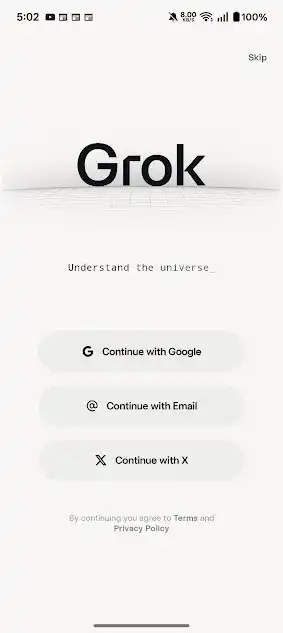
- Open Grok and sign in with Google, Email or X.
iOS requirements
| Platform | iPhone and iPad |
|---|---|
| Store | Apple App Store |
| Developer | xAI |
| Cost | Free with optional SuperGrok |
Android vs iOS: any differences?
The core experience is the same across both platforms: the same models, the same Imagine, Voice and Vision tools, and the same SuperGrok upgrade path. Feature rollouts occasionally land on one platform slightly before the other, and integration hooks differ (Android offers share-sheet and widget behavior, iOS ties into Siri and Shortcuts). For most people the day-to-day app is identical.
Why there is no Grok APK for iPhone
APK is the Android package format. iPhones and iPads run iOS, which only installs apps through the App Store (or, in some regions, approved alternative marketplaces). So if you searched "Grok APK for iPhone", the correct route is simply the App Store link above. Anyone offering an iOS "APK" is not legitimate.
SuperGrok on iPhone
The free tier and the paid SuperGrok subscription both work on iOS, just like Android. You can subscribe through the App Store using your Apple Account, or manage a subscription you started on the web or via X. If you already pay for SuperGrok elsewhere, signing in with the same account unlocks the advanced models on your iPhone without paying twice. For a full breakdown of what each tier includes, see our SuperGrok pricing guide.
Troubleshooting Grok on iOS
App will not download
Check that your iPhone or iPad meets the minimum iOS version, that you have free storage, and that your Apple Account payment details are valid (even free apps sometimes prompt for verification). Toggling Wi-Fi or restarting the device clears most stuck downloads.
Cannot sign in
Make sure you are using the same login provider you registered with (Google, Email or X). If sign-in with X fails, update the X app or try the email option instead.
Voice or camera not working
Go to Settings, find Grok, and confirm microphone and camera permissions are enabled for Voice and Vision.
iOS FAQ
Is there a Grok APK for iPhone?
No. iPhones do not use APK files. Install the official app from the Apple App Store.
Is Grok free on iOS?
Yes, with the same free tier and optional SuperGrok subscription as Android.
Do my chats sync between iPhone and Android?
Yes. Sign in with the same account and your history and projects follow you across devices.
Using Grok across your devices
Your Grok account and history sync, so you can start a chat on iPhone and continue on Android or the web. If you also use a computer, see our guide to Grok for PC. For the full feature set, visit the features page.