Official xAI app · Android 9.0+
Grok APK Download: The Official xAI AI Assistant for Android
Grok is the multimodal AI assistant from xAI, the company founded by Elon Musk. This guide is based on installing and testing the latest build on Android. It walks through downloading the official app safely, what it can do, a full version history, and an honest breakdown of what is free versus what needs SuperGrok.
Get Grok on Google Play How to install| App name | Grok - AI Chat & Video |
|---|---|
| Latest version | 1.1.83-release.01 |
| Developer | xAI |
| Package name | ai.x.grok |
| Size | About 54 MB |
| Requires | Android 9.0 and up |
| Category | Productivity |
| Updated | June 12, 2026 |
What is Grok?
Grok is an AI assistant developed by xAI. It began as a feature inside X (formerly Twitter) and is now a standalone Android app. What sets it apart from most assistants is its access to real-time context from X, which makes it strong on current events, trends and public sentiment rather than relying only on older training data. The app combines text chat, voice, image understanding and media creation in one place.
Hands-on with Grok on Android
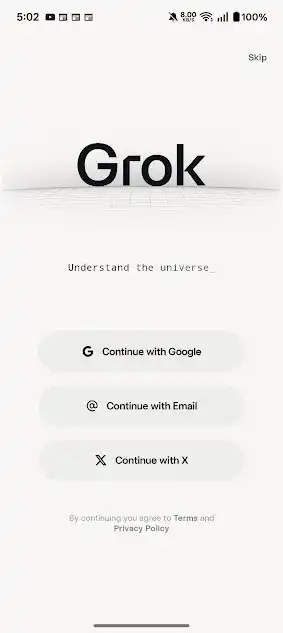
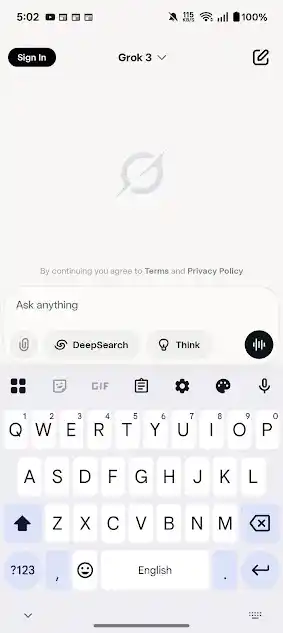
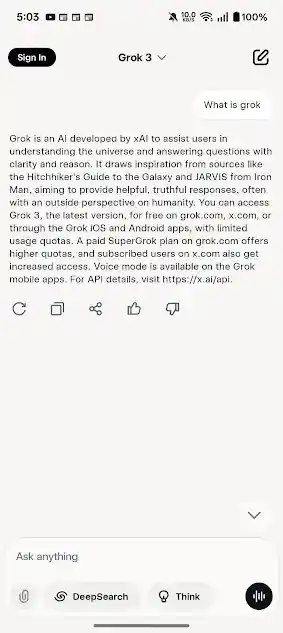
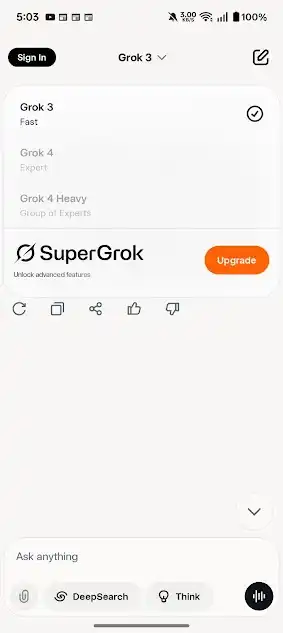
After installing the latest build, the first launch opens a clean splash screen with the tagline "Understand the universe" and three sign-in options: Google, Email, or X. Once signed in, the home screen is a single "Ask anything" bar with DeepSearch and Think toggles, which keeps things uncluttered. Asking "What is Grok" returned a clear, sourced answer in a couple of seconds. Tapping the model name at the top reveals the model selector, where Grok 4 and Grok 4 Heavy sit behind the SuperGrok upgrade.
Key features at a glance
Grok packs a lot into a 54 MB app. The highlights from testing:
- Real-time search and X context with DeepSearch summaries and linked sources.
- Imagine for text-to-image and one-click image-to-video creation with style presets.
- Grok Voice for spoken conversations and Vision for asking about photos.
- Document, code and STEM help with Auto, Fast and Expert chat modes.
- Private mode that keeps a chat out of your history.
For the full breakdown, see our Grok features guide.
Grok pros and cons
Pros
- Fresh answers from real-time X context
- Built-in image and video creation
- Text, voice and vision in one app
- Strong document, code and reasoning help
- Small download for most phones
Cons
- Top models need a SuperGrok subscription
- Heavy media generation can be slow
- Voice can lag during intensive tasks
- Real-time answers still need source-checking
How to download and install Grok on Android
Option 1: Google Play (recommended)
Open Google Play, search for Grok by xAI, and tap Install. This is the safest route and keeps the app updated automatically. Confirm the developer shows as xAI before installing.
Option 2: Official APK or XAPK
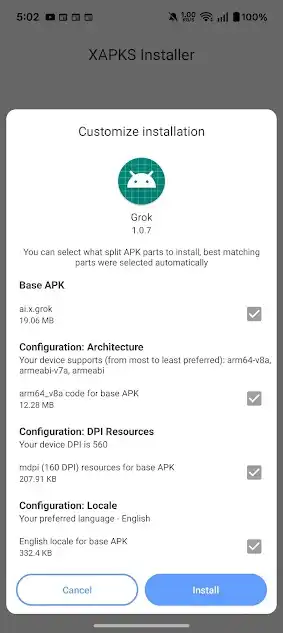
If Play is not available in your region or on your device, you can sideload the official package from a trusted, scanned source. Verify the package name is ai.x.grok first.
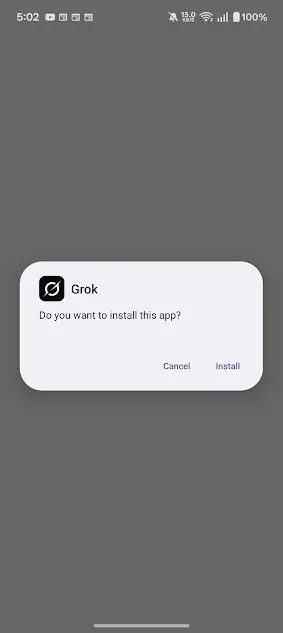
- Download the Grok APK or XAPK file to your device.
- Open Settings → Apps → Special access → Install unknown apps and allow your browser or file manager.
- Open the file from your Downloads folder and grant permissions.
- Tap Install, then open Grok and sign in.
Is Grok free? Free vs SuperGrok
Grok has a usable free tier covering chat, basic Imagine creations and standard models. The advanced Grok 4 and Grok 4 Heavy models, higher usage limits and some voice options sit behind a paid SuperGrok subscription, as the model selector makes clear. There is no legitimate way to get the paid tier for free, so treat any site claiming otherwise with caution.
Read our full SuperGrok pricing breakdown.
Version history
| Version | Date | Size |
|---|---|---|
| 1.1.83-release.01 (latest) | Jun 12, 2026 | 54.1 MB |
| 1.1.83-release.00 | Jun 12, 2026 | 48.9 MB |
| 1.1.82-release.00 | Jun 9, 2026 | 53.9 MB |
| 1.1.81-release.00 | Jun 8, 2026 | 53.8 MB |
| 1.1.80-release.00 | Jun 5, 2026 | 48.5 MB |
| 1.1.79-release.00 | Jun 3, 2026 | 68.1 MB |
Frequently asked questions
Is the Grok APK safe to install?
Yes, when you install the official app from Google Play or a trusted, virus-scanned source and verify the package name ai.x.grok. Avoid any mod or premium unlocked build.
Is Grok free?
Grok has a free tier. Advanced models such as Grok 4 and Grok 4 Heavy and higher limits require a paid SuperGrok subscription.
Can a mod APK unlock SuperGrok for free?
No. Mod APKs cannot legitimately unlock paid features, they break xAI's terms, and they often carry malware.
What Android version do I need?
Android 9.0 or higher.
How big is the download?
The latest release is about 54 MB.
Who develops Grok?
Grok is built by xAI.